|
|
|
Radio amateur activities
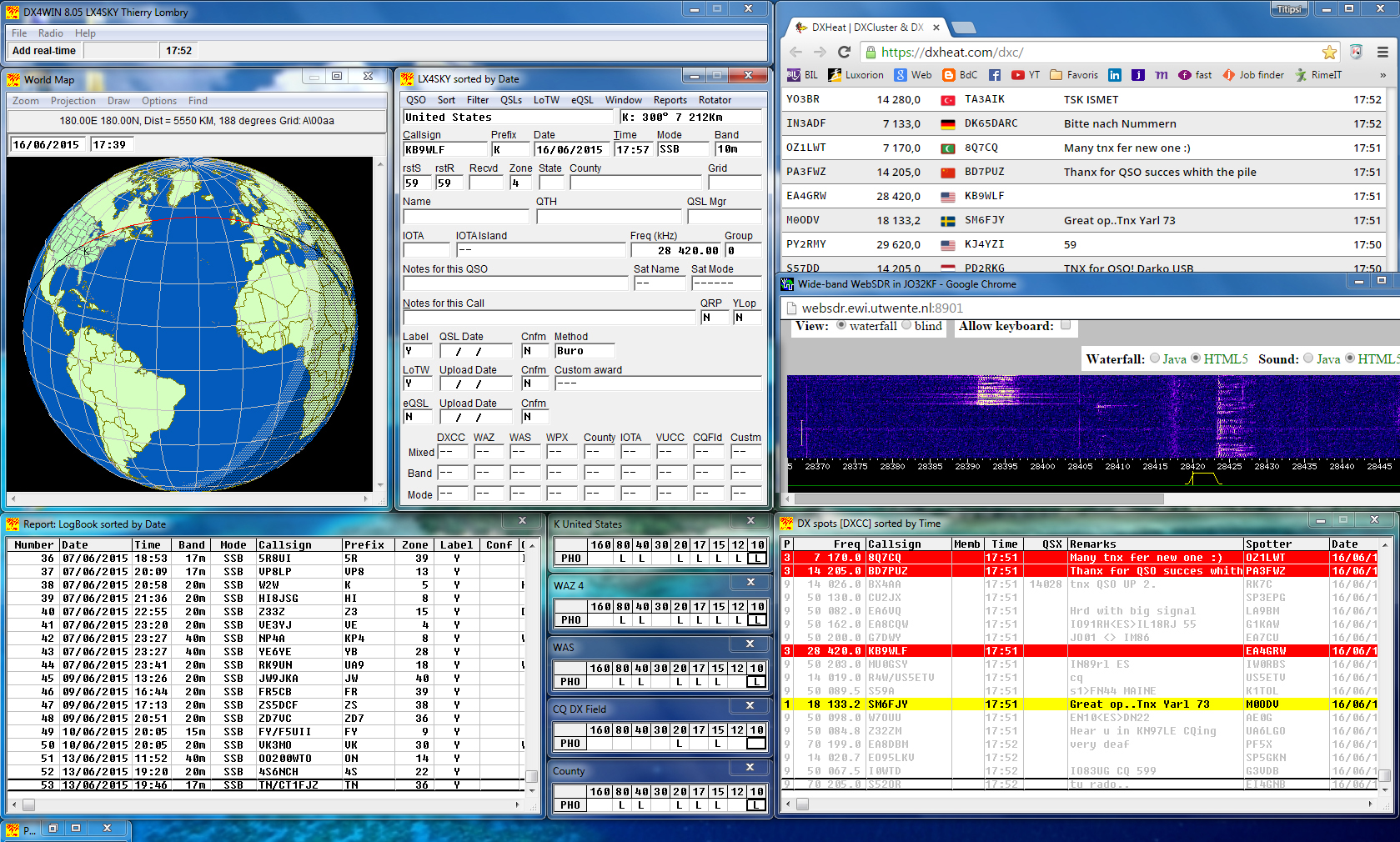
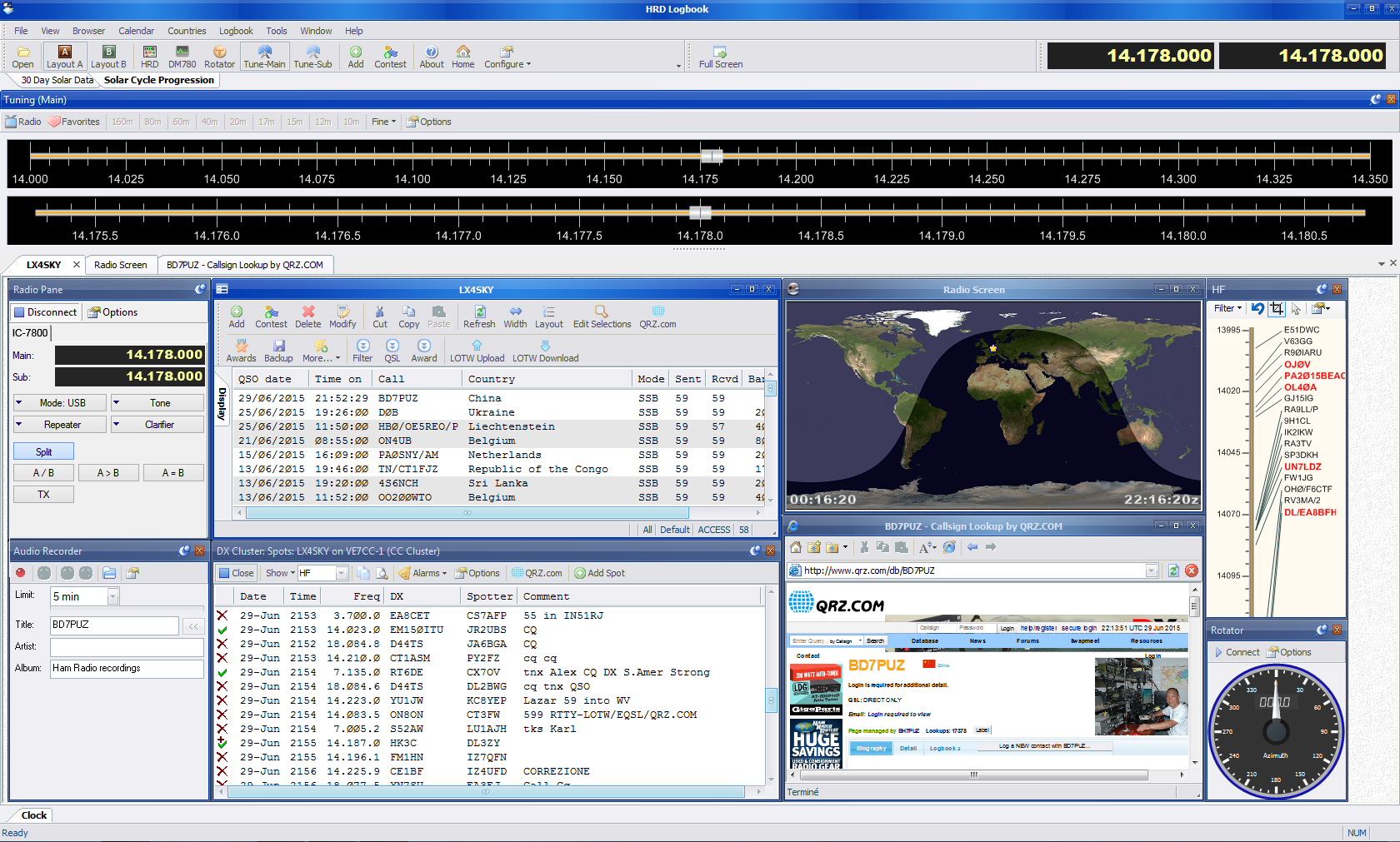
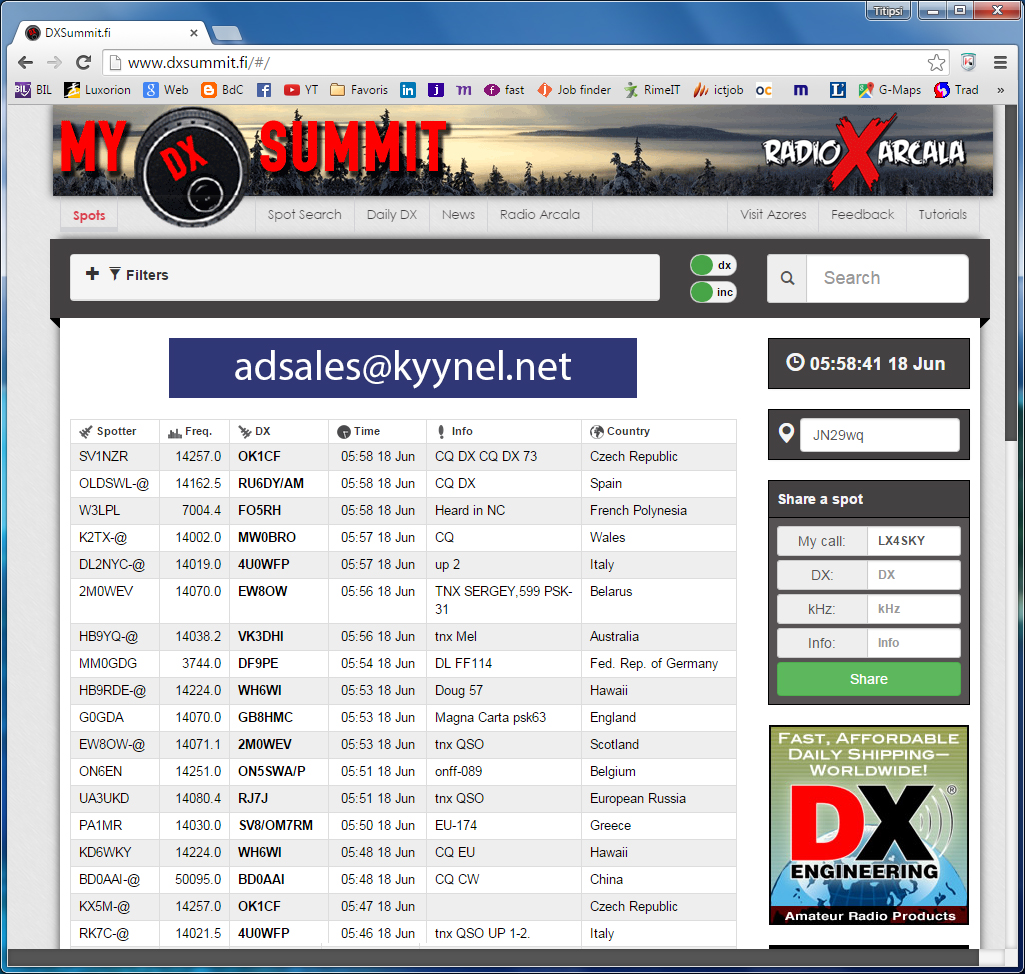
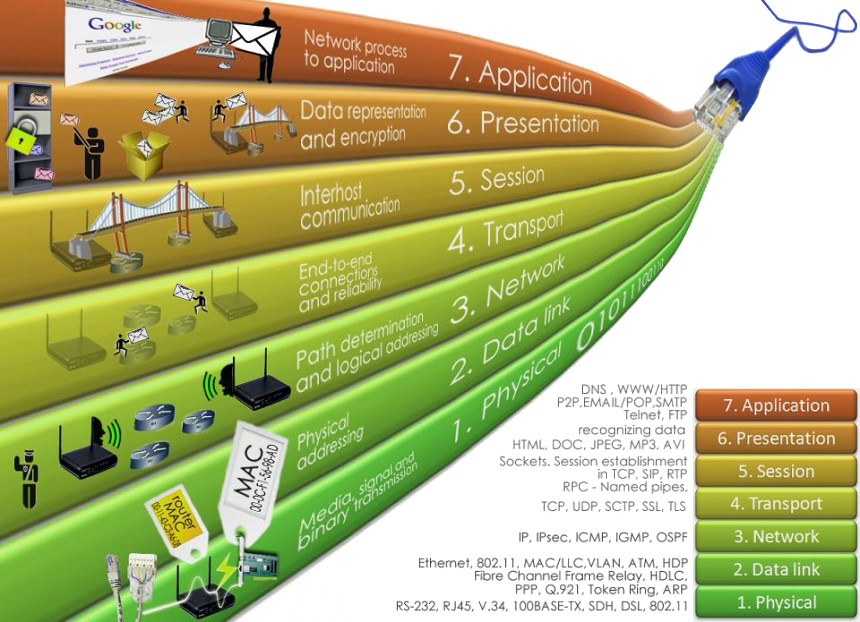
Clusters and Packet Radio If you want to succeed in trying to work a rare DX or a special call sign, it is sometimes very useful to read news about current DX-peditions and other activations, the ones to come, and to log their period of activity in your logger calendar in order to be alerted once they will be QRV. Your national ham radio magazine as well as 425 DX Network can provide you such an information and much more. But this information is rarely available in real-time. Can you, just now, get "DX spot information", I mean to know what DX-pedition or DXer is currently in QSO on the 15-meter band, in SSB mode, and what is his QSL info ? Some decades ago (before the '80s) it what not easy to find the information, all the less in real-time. Today this spot information is available at your fingertips via a connection to a cluster. Born in the 1980s, this technology is today used by practically all amateurs who can't no more ignore this tool when they work on the air as it provides them a very useful assistance. Definitions and requirements A cluster is a network of dedicated computers called "nodes" connecting amateur radio operators. This cluster serves an area which size is ranging between a small city and a country, but sometimes it connects amateurs at international and even at trancontinental level. The objective of a cluster is to provide and share information pertaining to amateur radios. The most common usage of a cluster is to provide spot information : a licensed amateur (only) heard or worked a station and would like to share the information with the ham community. The information shared on a cluster include DX spots, WWV spots, beacons, announcements, message, and mails. In some countries, weather and emergency services are also available on clusters. Most of them also provide utilities like a call sign lookup, a QSL database, great circle heading and sunrise/sunset calculations. A DX cluster is a cluster network while an AR-cluster is a software using an Internet link to connect with other AR-cluster nodes ("AR" meaning Amateur Radio). In facts, there is no difference between a DX and an AR cluster, and a cluster network can combine DX and AR clusters. There are two types of connections : TNC that uses an external packet interface linked to a RF device (a V/UHF transceiver), and Telnet via an Internet connection to a dedicated website like DXHeat, DX Summit or HB9DRV among others clusters. Note that the Telnet access requires a login, usually the amateur's call sign. "CC User" program developed by VE7CC is an example of client interface running under Windows supporting DX and AR clusters among others. "AR-cluster" program developed by AB5K is another example of client application. Both software replace a TNC if the amateur has an Internet access. Telnet connection via Internet The simplest way to connect to a cluster is using Internet as it is already installed in most residences or available close to your home via a Wi-Fi connection. However, if you are not connected to Internet by any mean, in this case you need to use a TNC linked to an external V/UHF transceiver. Telnet is the session layer of TCP/IP protocol in the OSI model used by Internet and wide and local area networks (W/LAN). In fact, TCP and IP frames are encapsulated in AX.25 packet frames. TCP/IP is available by default when you subscribe to an Internet Service Provider or ISP (operator). TCP/IP is supported by all Internet browsers and by most electronic logbooks (loggers) like DX4WIN or Ham Radio Deluxe displayed below.
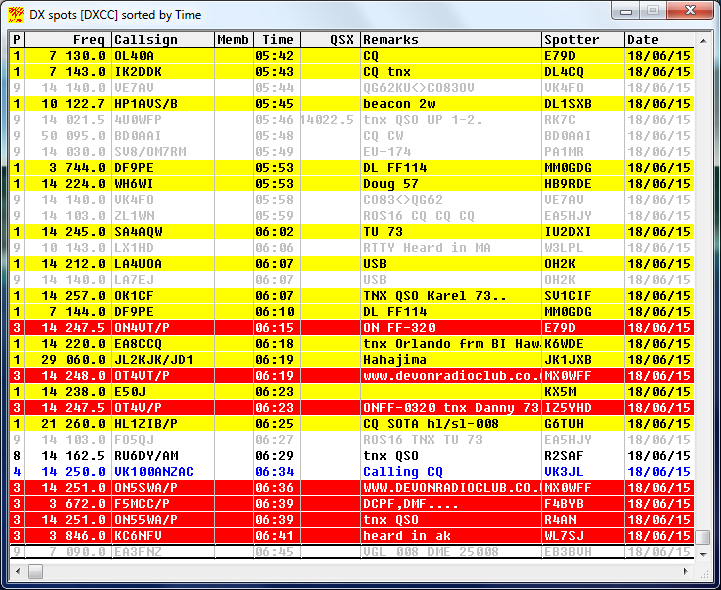
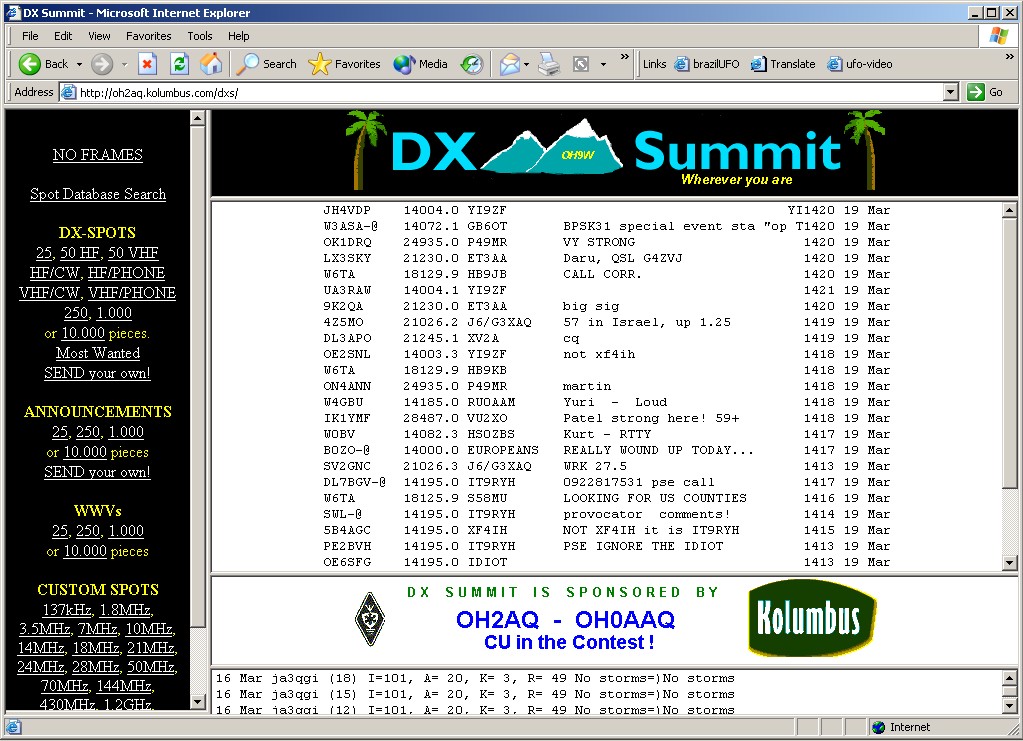
Sometimes, some loggers disconnect from the DX cluster without warning. In this case, the solution is using a program between the logger and the cluster like "CC User" or "AR-cluster" described above that keeps that connection. This kind of software is placed between the logger and the DX cluster node : in the case of DX4WIN, this logger connects to localhost (syntax for DX4WIN : LOCAL>CC User,localhost:7300) and the "CC User" program connects to the node. As reliable as a wired Internet connection, this kind of program can stay connected to the node for days or weeks if needed, even by Wi-Fi (that you need to protect with a password for security reasons). That said, if disconnections remain, most of the time it is either a local issue linked to your computer (OS or hardware) or to your ISP. More interesting, when a cluster is connected to your logger software via Internet or through a TNC, if you keep the default settings, the program will automatically highlight all DX and WPX that you have not worked or listened yet, DX in a new mode or new band, etc, as displayed below (left and center windows). This is a very useful assistance to get new points in the DXCC palmares or during contests or simply to know what are new DX that you could work. Check DX spots on clusters: DXHeat - HB9DRV - DX Central - DX Summit - eHam DX Cluster Spots
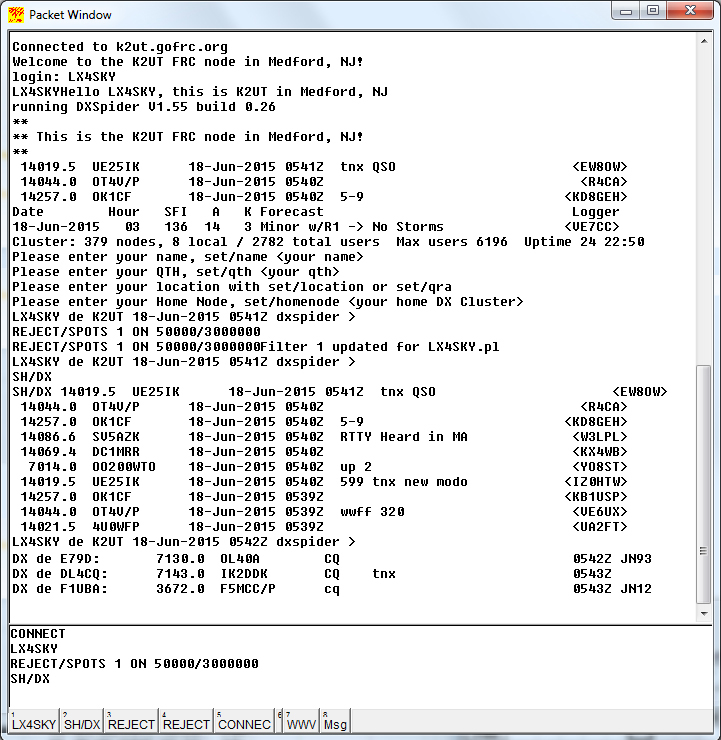
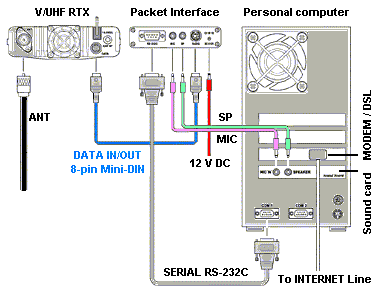
How to setup a cluster? As explained, a cluster or node is a computer system (sometimes several) connected to Internet on one side and to RF (shortwaves) the other side using a V/UHF packet connection. In the field, this computer is connected to a dedicated transceiver, itself connected to a TNC (e.g. Pakratt, Rigblaster, see below), a sort of multimode modem able to process hig tones if its bandwidth is large enough. The information is transmitted in small packets, hence its name. This computer is linked to the global network via the AX.25 (Amateur X.25) and Telnet protocols. This cluster manages information about amateur traffic, mails sent between hams and provide many other interesting services that we will describe below. Once the connection established, a prompt requests the user to enter his call sign to be authenticated and to receive his personal profile. At this point only amateur radio call signs are accepted, no SWL, CB, Hamsphere or nicknames. Once in the system in using standard commands the amateur radio simply sends his message for immediate release. Thousands hams proceed this way every day and every minute. It is this huge collection of messages that you can read in real-time on clusters and many websites dedicated to ham activities. These data are saved in huge databases often managed by a Linux server that can be queried remotely either in command mode or user a client interface. It allows you to search for specific information : to confirm a call sign worked on a specific date, to confirm a frequency, a QSL manager or any other data that would have been sent by another ham this year or a couple of years ago.
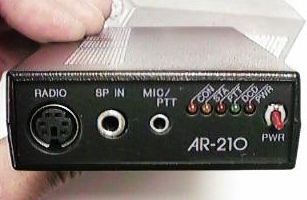
Of course the data updated today in databases can be obsolete tomorrow because e.g. the QSL Manager will change according to the amateur who will use the same call sign during the next special event. Therefore it is always useful to ask during the QSO all the information you need to get the QSL of your contact. However, today most DX stations will answer that you can get all these data and much more on QRZ.com. How to set up a TNC connection to a cluster ? As explained above, in a packet connection using a V/UHF link, there is a TNC device between the computer and the transceiver which function is to establish an AX.25 connection to a cluster in order to share spot information or to work in digimodes as we are going to see hereunder. If you use a TNC like the famous Timewave PK-232 DSP or the smaller AOR AR-210, knowing that hundreds of messages are sent each second to all clusters, there are two very important parameters to set in that device : the baud rate (e.g. HB 1200) and the duration of each emission (usually 11 or 15 ms, i.e. TX 11). If you forget these two commands and some others, your TNC will look like dead and it is possible that you will consider it as broken... But it is not. You have only to type the good commands in order that it "understands" you !! Some request e.g that you type <Ctrl-C> to enter in command mode, and as long as you don't enter these two keys, the system will never switch in command mode and will never accept your new settings...
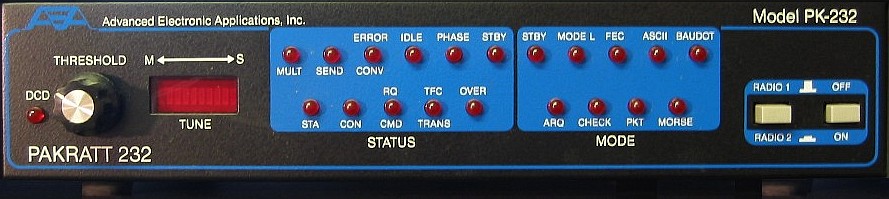
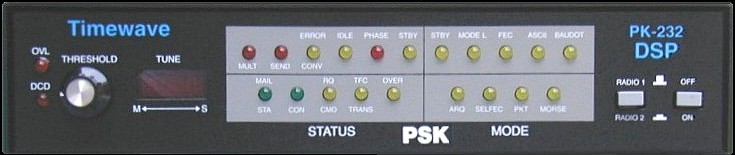
Some amateurs may be surprised to learn that a TNC uses a so short delay to send a message that we have sometimes difficulties to type, don't we need more than 11 ms ? Technically speaking, whatever the time you need to type your message, once you pressed the <Enter> key the CPU of your computer is able to process hundreds of operations (and as much messages) in a few millisecondes. This is its main function due to the high integration of its components. But there is another reason to select such a short delay. We cannot imagine occupying the 144.850 MHz frequency or any other one dedicated to packet radio during e.g.10 sec or more to send a message because during that time hundreds or thousands of other messages will be queueing, waiting to be processed and transmitted live on the cluster. Admit that you set the TNC with a 10 sec delay. The server will open its connection for you during 10 sec but you can be sure that your short message will be for long processed, probably already 5 ms after you depressed the <Enter> key. But during the 9.9 sec reminding the TNC will wait you for nothing, while all others messages will be pending. In other words the cluster will not be able to answer to any other user querying the database of wishing to post a message. So the shortest is the delay, the best is the cluster response. So usually these clusters work with the fastest CPU, much fast memory, and huge disks spaces in order to handle the high rate of connections. We now understand better why outside the limitation of about 11 or 15 ms many connections to clusters are usually refused (without any message or at best "connection closed" or "not allowed"). Therefore some hams think sometimes that their TNC is broken because they cannot connect to the cluster. In fact they have not enter the good commands or parameters. Hopefully usually there are LED on the TNC front panel that display the current status of the system. None of them is menu-driven and this lack of ergonomy is somewhat a pity. Digimodes Last but not least, you can also use clusters to communicate in all digimodes by the intermediate of your TNC interface and keyboard with other hams using similar ham equipments. Indeed, in 1986 the company Advanced Electronic & Applications, Inc. (AEA) introduced the venerable PAKRATT PK-232 controller or packet interface displayed below. It does packet at 300 and 1200 bauds or bits/sec (bps), RTTY, AMTOR/SITOR, PACTOR, and CW. This TNC includes a maildrop that works in Packet, PACTOR and AMTOR modes so that you can access to a personal mailbox from anywhere in the world. This model was withdrawed 1996 and the patent sold to Timewave. However this TNCs can till be purchased on secondhand for about $50. Since 1998, Timewave provides a similar model, Pakratt PK-232 DSP (below) supporting RTTY-Baudot, RTTY-ASCII, AMTOR/SITOR, PACTOR, Packet at 300 bps HF and 1200 bps VHF, FAX HF, GPS, NAVTEX, TDM, and CW. See this page and these audio files to listen to the variety of digimodes. To read : The History of Amateur Radio The invention of Packet radio and TNC (1977-1980)
PK-232 DSP includes a DSP filter to reduce QRM and a sound card to work in PSK31 or SSTV. Since 2011, it includes an USB port too and other models are also available. Today packet radio can interface with many other services than DX Clusters, like chat bridges, networking, emergency communications, satellite operations, APRS, and much more. Working with clusters There are usually several clusters per country, some managed by radioclubs, others by private amateurs. Using a 2 m or 70 cm transceiver, the distance at which you can connect to a packet cluster is physically limited by two parameters : first by the distance to your QTH, second by the position of the cluster antennas. In some countries, managers of clusters can restrict the usage of their packet network to local amateurs and you cannot always hear these clusters a few kilometers outside the borders of the country. In most cases these networks are managed by private operators like you and me who share their personnal computer with the ham community. At last, there are clusters like VE7CC where some services are charged. To avoid misuse, spamming and other denial of service on their system some ops do not hesitate to filter the raw information or to cut links to other clusters. This way they reduce the risk that pirats enter from abroad on their cluster but in the same time they limit drastically the amount of information available on their cluster. The less used systems receive sometimes only one message each dozen of minutes. They are useless when we learn that during a contest in the same time you can work hundred of stations ! If you have not needed of a local system and test various clusters adresses, e.g. from Canada, U.S.A. Europe or Asia, you will see that the list of DX spots is at 90% common; they are not many differences (not more than comparing lists displayed on two web clusters). So if you live in Europe for example, you can connect without problem to a US cluster if you want. But as soon as you want to send a message to amateurs living close to your QTH, in this case you need to connect to the cluster on which these amateurs are connected (or use commands to jump from one cluster to another until you reach the local cluster, see below). Among the most used clusters, reliable and fast there are HB9IAC-8, K2UT and VE7CC. Others, listed in old files created ten years ago are no more active like the famous EA7URC-5 (http://dx.ea7urc.org/) or ON4DXB (134.58.199.34).
If he wants to work a specific Zone or entity, thanks to the "link" command you can jump from one cluster to another. Once on the destination cluster, thanks to the "talk" command you can for example ask to a specific connected amateur if he is interested in a QSO with you. If this amateur is very distant he will be very surprised to receive for example on his US or JA cluster a personal message (e.g. TALK K1A Please QSO with me for CA award ?) from someone living on the other side of the world. When he will receive this message, he will surely ask you : "How did you find me" ? Now you can answer him : "was ez, used links btw clustr and asked to show users". This way to sked QSO is very smart if you want e.g. to work a far DX in special conditions or for any other reason. It is also convenient to work this way in place of waiting like many others OM that a DX appears on the cluster, because once published it is often too late to work him cool and relax... Clusters offer you also an excellent opportunity to increase your score if you want to get awards. With so many services and commands and your disposal, you will without any doubt regularly work with clusters !
At last, if you have some difficulties to find information about some call signs or their QSL info (the way to reach a station by post or bureau) on a cluster, do not try QRZ.com because the cluster queries also the QRZ database. Try rather alternative databases like HamCall (ex-Buckmaster) or Pathfinder, hence the importance to create a profile on one of these databases as well. These websites or tools gather currently the most complete ham databases available online. QRZ is probably better known in the U.S.A., and in a lesser extent worldwide (essentially in english-spoken countries) but some information are only available on Buck's (e.g. some email addresses). If none of them provides you the information, there are many chances that you did a mistake in working this station, "you are not in log"... For more information Loggers (in the download page) AR-Cluster User Manual (PDF) Cluster syntax : VE7CC, HB9IAC-8 (in French) Maillist AR-cluster : http://groups.yahoo.com/group/ar-cluster/join Maillist DX4WIN : http://mailman.qth.net/mailman/listinfo/dx4win Hope this helps !
|
|||||||||||||||||||||||||||||||||||||||